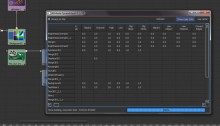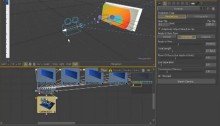
Here’s another small function that i missed from my experience with Lightwave, it’s a script that allows you to shift the Hue, Saturation and Values of all color keys on the selected ramp node.
It has it’s own interface and i had to rewrite the RGB to HSV and the HSV to RGB code as the standard rgb_to_hsv and hsv_to_rgb functions clamp values to 0.0 and 1.0, which is a royal pain when your ramps are float and exceed 1.0 as value.
Posts Tagged ‘script’
Maya : hos_rampColorShift.mel
Saturday, December 5th, 2009Maya : hos_invertRampPositions.mel
Saturday, December 5th, 2009Here’s a small function that inverts all the key positions on the selected ramp, a small feature i missed from Lightwave and wanted to bring to Maya.
download : hos_invertRampPostions_v1.0.zip

Maya : Create Reference multifunctional hotkey
Saturday, December 5th, 2009Here’s a small replacement for the default <CTRL> + <r> Create Reference command hot-key that adds some extra functionality.
This little function is actually quite simple, but allows one hot-key to do two things.
First, if nothing or a non referenced node is selected, the hot-key will simply function as Create Reference always did.
However, when a referenced node is selected, it will simply open up the Reference Editor.
Very simple, but a nice work-flow addition.
download : hos_ReferenceHotkey_v1.0
Maya : open Reference in new instance of Maya.
Saturday, December 5th, 2009Ever work with lots of references in a scene and you keep opening new instances of Maya to tweak a referenced file as a workaround trying to avoid using the save reference edits because of the (well justified) fear of wrecking a perfectly good referenced asset?
Well, no more, here’s a way to add a new feature to the RMB menu and File menu in the Reference Editor that opens the currently selected reference in a new instance of Maya.
Before you start doing this, know that it involves changing the MAYA_LOCATION/scripts/other/referenceEditorPanel.mel file that is an essential part of Maya, so, BACKUP referenceEditorPanel.mel BEFORE PROCEEDING.
If you screw up files that are an integral part of Maya and you don’t have extra workstations with Maya installs that can be used to restore those files should you screw up, there’s only one way to restore those files, and that is a reinstall of Maya.
The procedure is very simple,
Open up the MAYA_LOCATION/scripts/other/referenceEditorPanel.mel file in your favourite script editor.
Go to the end of line 214 (Maya 2009 and 2010, x86 and x64 on Windows) and create a new line.
Copy the folowing piece of code.
1 2 3 4 5 6 7 8 9 10 11 12 | // START HOS EXTRAS // in Maya 2010 add at the end of line 214 of referenceEditorPanel.mel menuItem -divider true; menuItem -label ("Edit in New instance") -annotation ("Opens a new instance of Maya with the file") -command ("string $referenceFile[] = `sceneEditor -q -si $gReferenceEditorPanel`;" + "system(\"start \\\"\" + getenv(\"MAYA_LOCATION\") + \"/bin/maya.exe\\\" \\\"\"+$referenceFile[0]+\"\\\"\");") referenceEdInstance; // END HOS EXTRAS |
And paste it at the newly created line.
Save, start Maya, and you are ready to go.
That’s it.
edit : I just noticed that WordPress’ auto formatting screwed with the code, fixed it now (if you tried this and it didn’t work, WordPress was the reason as to why.
Fusion : hos_SplitEXR v1.1
Thursday, October 29th, 2009Updated the script to incorporate some features and fixes that where suggested by Stefan from südlich-t.
Added mapping of XYZ channel names to RGB.
Added a GUI with the placement option that handles the placement of split loaders (have not figure out how to grab these options from the user preferences yet.)
I will add the ability to choose what should happen with certain channel data mapping wise, and i will add an option to map Z channel data to either the RGB channels or the actual Z channel.
Keep posting any strange behaviour of course.
Fusion : hos_SplitEXR.eyeonscript
Thursday, June 18th, 2009Fusion 6 is out, and i wanted to test something that has been gathering dust on my harddisk because the script simply could not be done natively in Fusion 5.
But here’s a quick prototype on a script that takes a multi channel EXR file and creates new loaders with the same EXR file but assigns groups of channels accordingly to the RGBA channels so it is ready for easy comping.
Now this is as i said, a prototype, it requires an EXR file that contains channels like the channel names in the example file below (rendered with Autodesk Maya passes), there’s no GUI, it doesn’t do any error checking or anything fancy to check for channels that can or can’t be grouped.
Should the script fail and your comp seems to stop working or responding, try typing the following in the command line (it means it failed between the locking and unlocking of your comp and is thus locked and needs to manually be unlocked again)
comp:Unlock()
download : hos_SplitEXR_v1.2.zip
download : hos_SplitEXR_v1.1.zip
download : hos_SplitEXR_v1.0
download : fusion_6_passes.exr
changes v1.2
- Added a TOOLST_Clip_FormatName check to fix the ’attempt to index global ‘tool’ (a nil value)’ error.
changes v1.1
- XYZ channel data is now recognized and mapped to RGB channels
- Added a GUI where you choose how the split EXR loaders are placed (Horizontal or Vertical)
changes v1.0
- Prototype and initial release
Lightwave : hos_incrementalSaveModeler.ls
Tuesday, June 9th, 2009
Here’s a Lightwave Modeler version of the incremental save system we use (finally got some time to clean up the code for release), again, it mimics the way Autodesk Maya does incremental saving.
Just download or copy paste into a text editor and save as an .ls file in your Lightwave Plug-in / Lscript folder, bind to a key of your liking.
Again, if you find anything, let me know.
download : hos_incrementalSaveModeler
.
1 2 3 4 5 6 7 8 9 10 11 12 13 14 15 16 17 18 19 20 21 22 23 24 25 26 27 28 29 30 31 32 33 34 35 36 37 38 39 40 41 42 43 44 45 46 47 48 49 50 51 52 53 54 55 56 57 58 59 60 61 62 63 64 65 66 67 68 69 70 71 72 73 74 75 | @script modeler @version 2.2 @warnings @name "hos_incrementalSave" mySeperator = getsep(); main { incrementalSave(Mesh(0)); } incrementalSave:myObject { myFile = myObject.filename; if(myFile) // start creating an incrementalSave { myFileinfo = split(myFile); checkDir(myFileinfo[1] + myFileinfo[2], myFileinfo[3]+myFileinfo[4]); incVersion = checkIncrements(myFileinfo[1] + myFileinfo[2] + "incrementalSave" + mySeperator + myFileinfo[3] + myFileinfo[4], myFileinfo[3], myFileinfo[4]); incFile = myFileinfo[1] + myFileinfo[2] + "incrementalSave" + mySeperator + myFileinfo[3] + myFileinfo[4] + mySeperator + myFileinfo[3] + "." + strright("000" + incVersion.asStr(), 4) + myFileinfo[4]; filerename(myFile, incFile); // Using filerename() as move function; save(myFile); } else // The object has never been save before, don't screw this up or people might go Jay and Silent Bob on my ass. { myDir=getdir(OBJECTSDIR) + mySeperator; myFile = getfile("Save Object As", "*.lwo", myDir, 0); if(myFile) { myFileinfo = split(myFile); myFile = myFileinfo[1] + myFileinfo[2] + myFileinfo[3] + ".lwo"; // Basically makes sure there's ALWAYS an extension called .lwo save(myFile); } } } checkDir:myDir, myFile { dirArray = matchdirs(myDir,"incrementalSave"); if(!dirArray) { mkdir(myDir+"incrementalSave"); } dirArray = matchdirs(myDir+"incrementalSave"+mySeperator, myFile); if(!dirArray) { mkdir(myDir+"incrementalSave"+mySeperator+myFile); } } checkIncrements:myDir, myFile, myExt { incCount = 0; incArray = matchfiles(myDir, myFile + "*" + myExt); if(incArray != nil) { foreach(incFile, incArray) { // wanted to do this part with a more reliable regular expression, but LScript regex is bollocks. // So now we just do some string size math and pray that nothing weird is done with the filenames. incVersioning = strleft(incFile, size(incFile) - size(myExt)); incVersioning = strright(incVersioning, 4); incCount = max(incCount, incVersioning.asNum()); } } else { return 1; } return ++incCount; } |
Fusion : hos_incrementalSave.eyeonscript
Thursday, June 4th, 2009
Here’s a script that mimics the way Autodesk Maya handles incremental saving of scene files.
Basically what it does is create a directory (if it is not already there) called incrementalSave in the directory your comp is located, in the incrementalSave directory another directory is created with the exact same name as your comp (including the extension)
Finally when both directories exist, the script copies your old scene file to the incrementalSave\compname directory and adds a 4 digit versioning number between the file name and the extension, separated by a ‘period’.
Every time you save, the directory structure is checked, and the script checks what the next highest versioning number should be, your old comp is copied, and the comp is saved (this way your final comp will always have the same name, where as you ‘backups’ are the only files that get incremented.)
The script has not been tested to death yet, so if you find anything, let me know.
Also, i have no idea whether or not this will play merry hell with Generations (as i have no idea whether or not Generations has a build in incremental saving system.)
Another thing you will notice is, that since this script copies the versioning file using the os.execute command, a DOS pop-up will appear for a couple of milliseconds, this is as far as i know, unavoidable, if someone however knows another way, please let me know.
Version 1.2 changelog:
- Changed the incremental save file pattern matching.
download : hos_incrementalSave_v1.2
.
1 2 3 4 5 6 7 8 9 10 11 12 13 14 15 16 17 18 19 20 21 22 23 24 25 26 27 28 29 30 31 32 33 34 35 36 37 38 39 40 41 42 43 44 45 46 47 48 49 50 51 52 53 54 55 56 57 58 59 60 61 62 63 64 65 66 67 68 69 70 71 72 73 74 75 76 77 78 | --[[ hos_incrementalSave by S.Neve / House of Secrets some small updates from the inital release: v1.2 changes: - Changed the way the postfix increment number for the incremental backup comp is searched for, as in the older version a name like 'vfx_shot_01_31-448.comp would break the gsub expression for some unknown reason, returning a nil value. v1.1 changes: - creating the backup incremental file now uses the os.rename function to move the file, this worked in Lightwave and seems to behave the same in Fusion, this prevents the DOS box popup on saving. - renamed the script to match our other script and plugin naming conventions. - encapsulated the DOS file names in quotation marks to make creation in and of directories with spaces possible. v1.0 changes: - Initial release ]]-- function findpattern(text, pattern, start) return string.sub(text, string.find(text, pattern, start)) end fa = composition:GetAttrs() if fa.COMPS_FileName == "" then Save() else pf = eyeon.parseFilename(MapPath(fa.COMPS_FileName)) if not direxists( pf.Path .. "incrementalSave" ) then print("creating dir : " .. pf.Path .. "incrementalSave") os.execute("mkdir \"" .. pf.Path .. "incrementalSave\"") else --print("dir exists") end if not direxists( pf.Path .. "incrementalSave\\" .. pf.Name .. pf.Extension ) then print("creating dir : " .. pf.Path .. "incrementalSave\\" .. pf.Name .. pf.Extension) os.execute("mkdir \"" .. pf.Path .. "incrementalSave\\" .. pf.Name .. pf.Extension .. "\"") else --print("dir exists") end -- search inc saves path = pf.Path .. "incrementalSave\\" .. pf.Name .. pf.Extension .. "\\*.comp" dir = readdir(path) num = table.getn(dir) currentVersion = 0 for i = 1,num do if not dir[i].IsDir then fileExtension = string.gsub( dir[i].Name, "[.][^.]*$", "") --fileNumberString = string.gsub( fileExtension, string.gsub( fileExtension, "[^.][0-9]+$", ""), "") fileNumberString = string.sub(fileExtension, string.find(fileExtension, "(%d+)$", 0)) fileNumber = tonumber( fileNumberString ) --print(fileNumberString) --print(fileNumber) if currentVersion < fileNumber then currentVersion = fileNumber end end end currentVersionString = "000" .. tostring(currentVersion + 1) currentVersionString = string.sub(currentVersionString, string.len(currentVersionString) - 3 , string.len(currentVersionString)) dest = pf.Path .. "incrementalSave\\" .. pf.Name .. pf.Extension .. "\\" .. pf.Name .. "." .. currentVersionString .. ".comp" src = pf.Path .. pf.Name .. pf.Extension os.rename(src, dest) -- this seems to work in Lightwave, and does the same in Fusion, much cleaner isn't it? Save(src) end |
Version 1.1 changelog:
- Creating the backup incremental file now uses the os.rename function to move the file, this worked in Lightwave and seems to behave the same in Fusion, this prevents the DOS box popup on saving.
- Renamed the script to match our other script and plugin naming conventions.
- Encapsulated the DOS file names in quotation marks to make creation in and of directories with spaces possible.
download : hos_incrementalSave v1.1
.
1 2 3 4 5 6 7 8 9 10 11 12 13 14 15 16 17 18 19 20 21 22 23 24 25 26 27 28 29 30 31 32 33 34 35 36 37 38 39 40 41 42 43 44 45 46 47 48 49 50 51 52 53 54 55 56 57 58 59 60 61 62 63 64 65 66 | --[[ hos_incrementalSave v1.1 by S.Neve / House of Secrets some small updates from the inital release: v1.1 changes: - creating the backup incremental file now uses the os.rename function to move the file, this worked in Lightwave and seems to behave the same in Fusion, this prevents the DOS box popup on saving. - renamed the script to match our other script and plugin naming conventions. - encapsulated the DOS file names in quotation marks to make creation in and of directories with spaces possible. v1.0 changes: - Initial release ]]-- fa = composition:GetAttrs() if fa.COMPS_FileName == "" then Save() else pf = eyeon.parseFilename(MapPath(fa.COMPS_FileName)) if not direxists( pf.Path .. "incrementalSave" ) then print("creating dir : " .. pf.Path .. "incrementalSave") os.execute("mkdir \"" .. pf.Path .. "incrementalSave\"") else --print("dir exists") end if not direxists( pf.Path .. "incrementalSave\\" .. pf.Name .. pf.Extension ) then print("creating dir : " .. pf.Path .. "incrementalSave\\" .. pf.Name .. pf.Extension) os.execute("mkdir \"" .. pf.Path .. "incrementalSave\\" .. pf.Name .. pf.Extension .. "\"") else --print("dir exists") end -- search inc saves path = pf.Path .. "incrementalSave\\" .. pf.Name .. pf.Extension .. "\\*.comp" dir = readdir(path) num = table.getn(dir) currentVersion = 0 for i = 1,num do if not dir[i].IsDir then fileExtension = string.gsub( dir[i].Name, "[.][^.]*$", "") fileNumberString = string.gsub( fileExtension, string.gsub( fileExtension, "[0-9]+$", ""), "") fileNumber = tonumber( fileNumberString ) if currentVersion < fileNumber then currentVersion = fileNumber end end end currentVersionString = "000" .. tostring(currentVersion + 1) currentVersionString = string.sub(currentVersionString, string.len(currentVersionString) - 3 , string.len(currentVersionString)) dest = pf.Path .. "incrementalSave\\" .. pf.Name .. pf.Extension .. "\\" .. pf.Name .. "." .. currentVersionString .. ".comp" src = pf.Path .. pf.Name .. pf.Extension os.rename(src, dest) -- this seems to work in Lightwave, and does the same in Fusion, much cleaner isn't it? Save(src) end |
download : incrementalSave v1.0
.
1 2 3 4 5 6 7 8 9 10 11 12 13 14 15 16 17 18 19 20 21 22 23 24 25 26 27 28 29 30 31 32 33 34 35 36 37 38 39 40 41 42 43 44 45 46 47 48 49 | -- incrementalSave v1.0 -- by S.Neve - House of Secrets 03-06-2009 -- for latest version, check http://www.svennneve.com fa = composition:GetAttrs() if fa.COMPS_FileName == "" then Save() else pf = eyeon.parseFilename(MapPath(fa.COMPS_FileName)) if not direxists(pf.Path .. "incrementalSave") then print("creating dir : " .. pf.Path .. "incrementalSave") os.execute("mkdir " .. pf.Path .. "incrementalSave") else --print("dir exists") end if not direxists(pf.Path .. "incrementalSave\\" .. pf.Name .. pf.Extension) then print("creating dir : " .. pf.Path .. "incrementalSave\\" .. pf.Name .. pf.Extension) os.execute("mkdir " .. pf.Path .. "incrementalSave\\" .. pf.Name .. pf.Extension) else --print("dir exists") end -- search inc saves path = pf.Path .. "incrementalSave\\" .. pf.Name .. pf.Extension .. "\\*.comp" dir = readdir(path) num = table.getn(dir) currentVersion = 0 for i = 1,num do if not dir[i].IsDir then fileExtension = string.gsub( dir[i].Name, "[.][^.]*$", "") fileNumberString = string.gsub( fileExtension, string.gsub( fileExtension, "[0-9]+$", ""), "") fileNumber = tonumber( fileNumberString ) if currentVersion < fileNumber then currentVersion = fileNumber end print( currentVersion ) end end currentVersionString = "000" .. tostring(currentVersion + 1) currentVersionString = string.sub(currentVersionString, string.len(currentVersionString) - 3 , string.len(currentVersionString)) filename = pf.Path .. "incrementalSave\\" .. pf.Name .. pf.Extension .. "\\" .. pf.Name .. "." .. currentVersionString .. ".comp" os.execute("copy /Y " .. fa.COMPS_FileName .. " " .. filename) --Save(filename) Save(pf.Path .. pf.Name .. pf.Extension) end |
Fusion : Toggle_Passthrough.eyeonscript
Wednesday, May 13th, 2009
Created a small script today to alleviate a small niggle i have, namely on a missing feature while working on a comp that became a bit sluggish because of the extensive use of optical flow based nodes, the ability to do quick multiple passthrough toggling by using a sort of pre selected set of nodes.
Before, in order to work with the comp and have it render refreshes fast enough to not be uncomfortable, i often found myself selecting all heavy task nodes (by digging through my comp flow by hand) and then toggle their passthrough state.
Now this isn’t a disaster, but switching between viewing the final product and the editting version takes time and breaks my working flow.
Here’s a small script that scans your comp flow for any nodes that have a line in their comments that contain the following string:
[!]
When you run the script it will toggle their passthrough state, the script becomes really handy when you attach it to a shortcut (you can do this with the Hotkey Manager.)
I haven’t fully tested it with animated comments yet, but it should work as it simply creates a large string comprised of all the text data it finds on an animation spline that is attached to the comments tab and then runs it through the standard Lua find function.
Offcourse you can quite easily change the comment string by simply editing the script, just change the string in line 24.
download : Toggle_Passthrough
.
1 2 3 4 5 6 7 8 9 10 11 12 13 14 15 16 17 18 19 20 21 22 23 24 25 26 27 28 | -- Toggle_Passthrough v1.0 -- by S.Neve - House of Secrets 13-05-2009 -- for latest version, check http://www.svennneve.com local toollist = composition:GetToolList() for i, tool in toollist do -- Finds all comments for tool. Checks to see if it’s animated. message = "" if tool.Comments then if tool.Comments[TIME_UNDEFINED]=="" then else if tool.Comments:GetConnectedOutput() then x=tool.Comments:GetKeyFrames() for k, keyframe in x do message = message .. tool.Comments[keyframe] end else message = tool.Comments[TIME_UNDEFINED] end end end if string.find(message, "[!]") then tool:SetAttrs({TOOLB_PassThrough = not tool:GetAttrs().TOOLB_PassThrough}) print ("toggled passthrough on " .. tool:GetAttrs().TOOLS_Name .. "\n") end end |


This seems to be a function that is forgotten by many MEL programmers but can save you a lot of headaches.